FiveM livery tooling

You already know how to design a livery.

The part that eats your afternoon is the sheet. Hand over the vehicle’s template and a few pictures of the livery you want, and about ten minutes later you have a texture that lands on the panel outlines, both flanks matching, with no seams along the UV edges.

  • $1.93 A LIVERY ON PRO
  • ~10 MINUTES
  • PNG + LAYERED PSD
  • NO CARD TO START
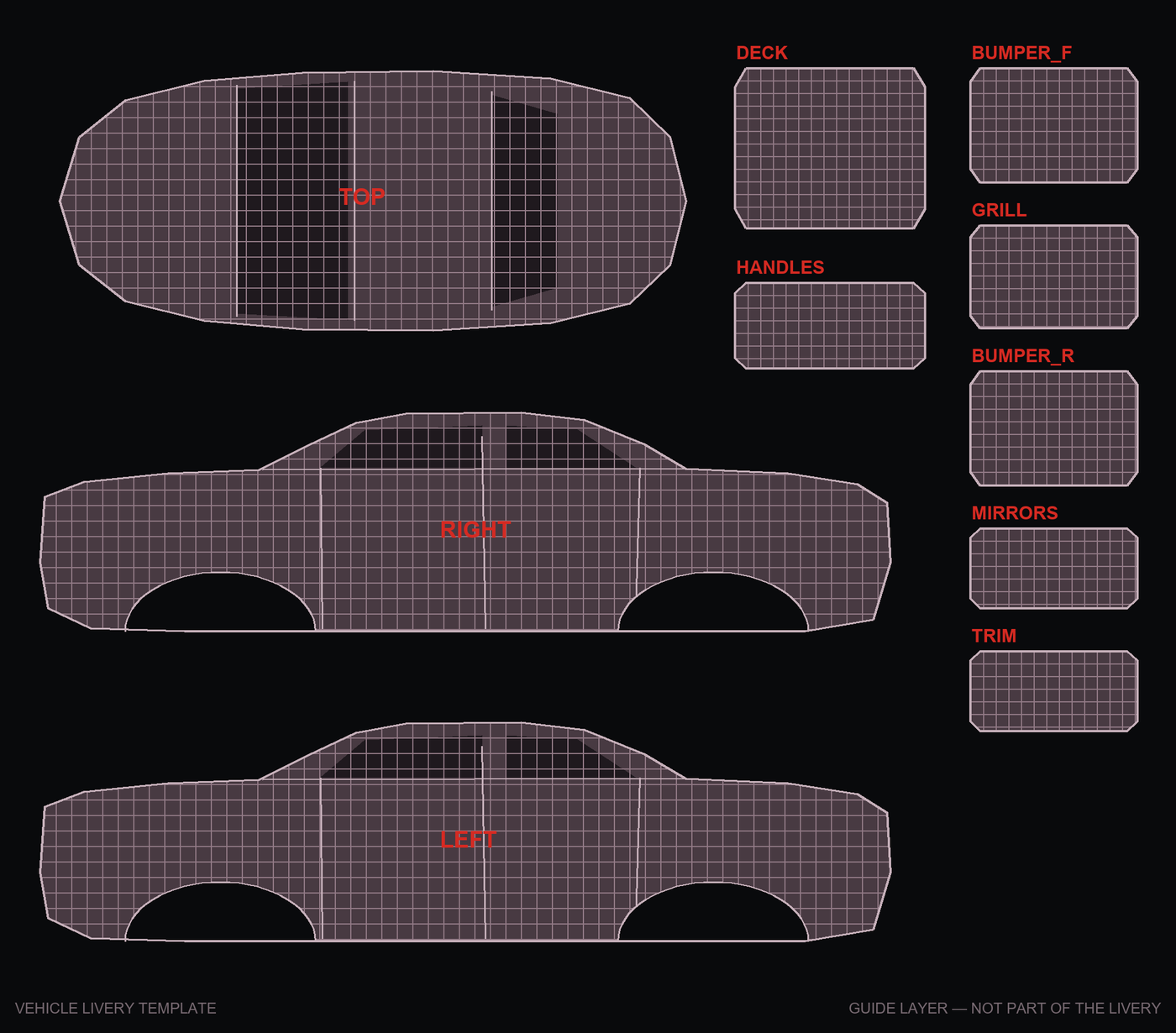
A blank vehicle livery template: the unwrapped body shell as wireframe islands on black. Both flanks in profile, a plan view, and separate islands for bumpers, grill, mirrors and trim, each labeled in red.
Blank template · ready to paint10 UV islands

01
THE SHEET

A UV template was never drawn for a person to read.

What you are fighting

The hood is somewhere near the middle. The doors are split and flipped. Nothing is where the car says it should be, and a stripe that looks continuous on the vehicle is four separate rectangles that have to agree with each other.

What it costs you

The design takes twenty minutes. Getting it to sit on the sheet correctly takes the rest of the afternoon, and you do it again for the next car. That is the part this does. Not the taste, not the idea — the alignment.

02
THE RUN

What happens when you press go.

Five steps, in order, every time. The app shows you each one as it happens and writes the whole thing to a log you can read afterward.

  1. 01

    Give it the template and the pictures

    The vehicle’s FiveM template PNG, and photographs of the livery you are copying. Label which view each photo shows: driver side, hood, roof, the close-up of the door shield.

  2. 02

    It paints the sheet

    Each panel is painted against your references, then the largest panels are redrawn on their own so the parts a player actually looks at get the detail.

  3. 03

    It checks its own work

    Every painted panel is matched back to its real outline on the template and measured. The run log says, panel by panel, what landed and what drifted.

  4. 04

    You look at it on the car

    Load the vehicle’s own .yft and .ytd and the livery is projected onto its geometry. The badge always says where that geometry came from.

  5. 05

    Export and ship

    A flat PNG sized exactly to the template for the game, and a layered PSD if you want to take it further by hand.

03
THE CLAIMS

Three claims, and the mechanism behind each.

You can check every one of them on your first free livery, which is the only reason worth printing them.

Claim 01

It lands on the outlines.

Paint covers up the template’s own guide lines, which is why matching them is the part that usually fails. Panels are matched by the shape of the paint instead, fitted back onto the real outline, and then measured — so the fit is reported rather than assumed.

Claim 02

Both sides match.

The passenger flank is built from the driver flank rather than painted a second time. Stripes meet the door line at the same height on both sides because they are the same artwork, not because two attempts happened to agree.

Claim 03

The PNG is ready for the game.

Guide lines are painted out, and color is bled past every UV edge before export. That is what keeps a hairline seam from showing along a panel border once the texture is on the model.

04
THE PRICE

$1.93 a livery on Pro.
The first one is free.

One unit, one decision. Pro is $29 a month for fifteen liveries; if your work comes in bursts instead, buy ten outright for $35 and they never expire. Paying at all removes the watermark and licenses you to sell what you make. A run that fails costs nothing.

05
THE LIMITS

What it will not do.

Better to read it here than to find out on a deadline.

  • Lettering is the hardest thing to get right from a photograph. You can turn text off completely and set the department name yourself in the PSD, which is what most people end up doing for a logo they already own.
  • Some liveries need a second pass. A touch-up costs less than a full livery, but it is not free, and the price is shown before the run starts.
  • There is no offline mode. The desktop app is a client; the work happens on our servers, which is also why there is no key to buy and no model to configure.
  • The 3D preview is a check, not a verdict. Preview is approximate and does not replace in-game testing.
  • Our permission is not everybody’s. A real department’s insignia or a licensed typeface is not ours to hand you, whatever the tool draws.

Try it on a car you are already working on.

Signing up takes a minute and costs nothing. You get one livery on the free plan, and you will know inside ten minutes whether this is worth paying for.